
1. Plan the game
Create the event, build the round order, choose the patterns, set the game options, and prepare printed packets if you are using them.
A Ready For Bingo night follows the same order your team already works in. The software keeps those steps connected.
Create the event, build the round order, choose the patterns, set the game options, and prepare printed packets if you are using them.
Open the public callboard on the projector or TV, connect and identify hall screens, prepare helper or table devices, check room audio, and show players the game code when digital cards are available.
Use the Host Control Center to choose manual or automatic calling, call or undo numbers, pause when needed, move through rounds, monitor claims, control room audio, and keep connected screens in sync.
Review the claim against the active pattern and called numbers, complete the host's real-world winner check, record the result, and keep the event history for later.
Ready For Bingo does not force everyone into the same screen. Each person sees the tools that match the job they are doing.
The Host Control Center is the operator workspace for rounds, patterns, number calling, claims, connected screens, and live activity.
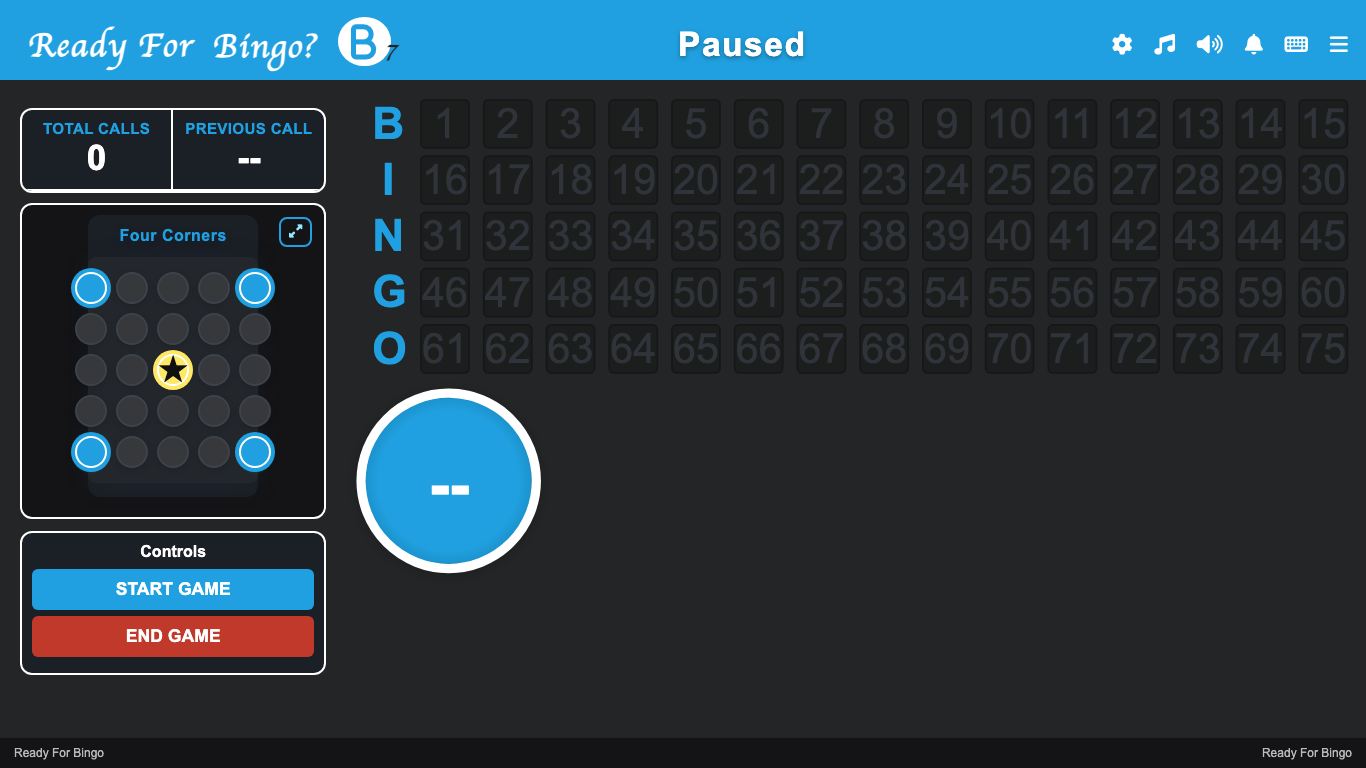
A clean public callboard keeps the current ball, pattern, called numbers, and game status visible across the room.
Staff can use focused phone or tablet tools for claims, paper checks, and player support without taking over the host screen.
Players can use printed packets or join with a game code for digital cards. No player account is required to join.
The public callboard is separate from the host controls. Put it on a projector, TV, or other room display so players see the current ball, called numbers, recent calls, active pattern, and game status without seeing the operator workspace.
Open the host application to create a game, prepare an upcoming event, or continue one already in progress.